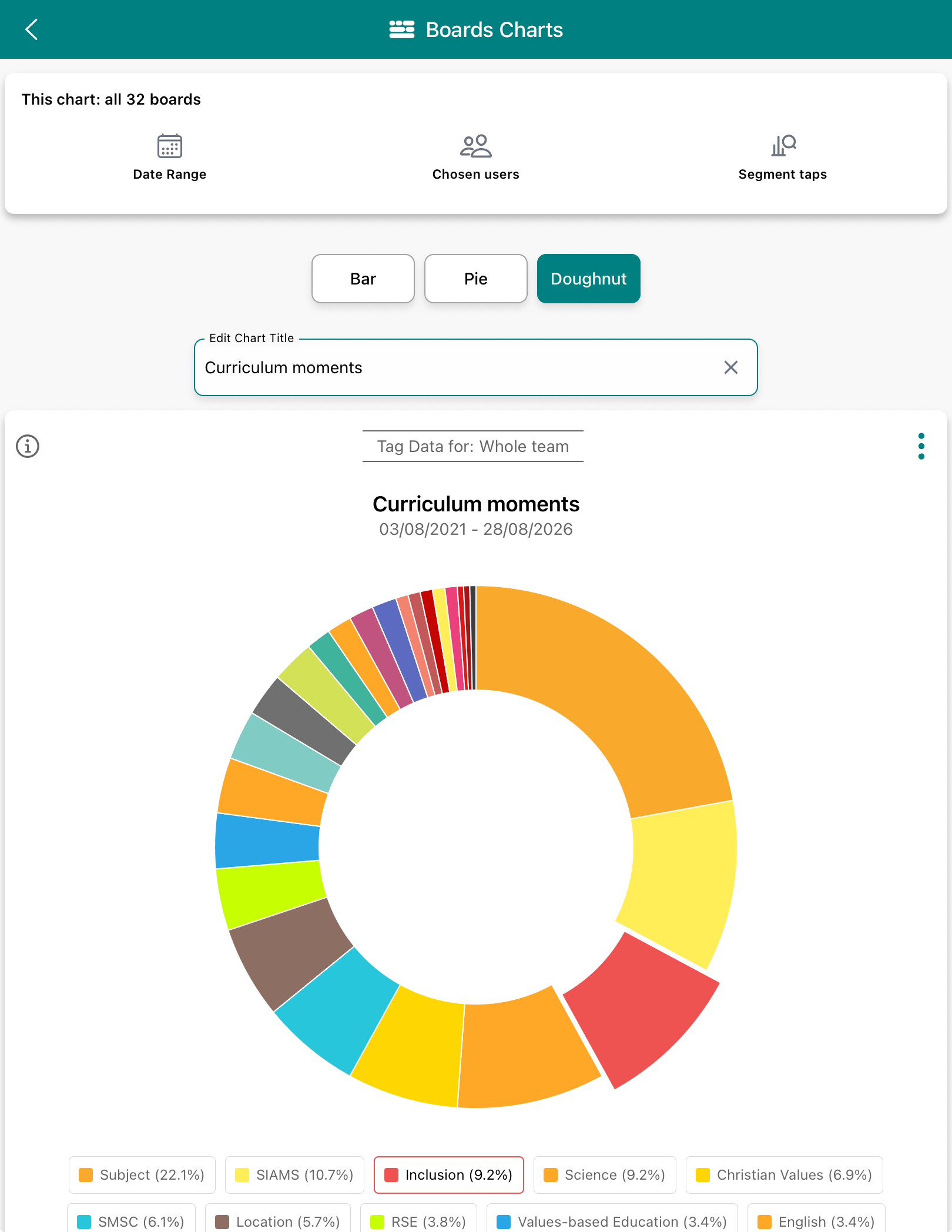
When viewing curriculum moments as a pie chart or donut, you will see a key or legend underneath.
How to use the key/legend to best effect
- Tap the subject or framework of interest in the key/legend. Inclusion in this example.
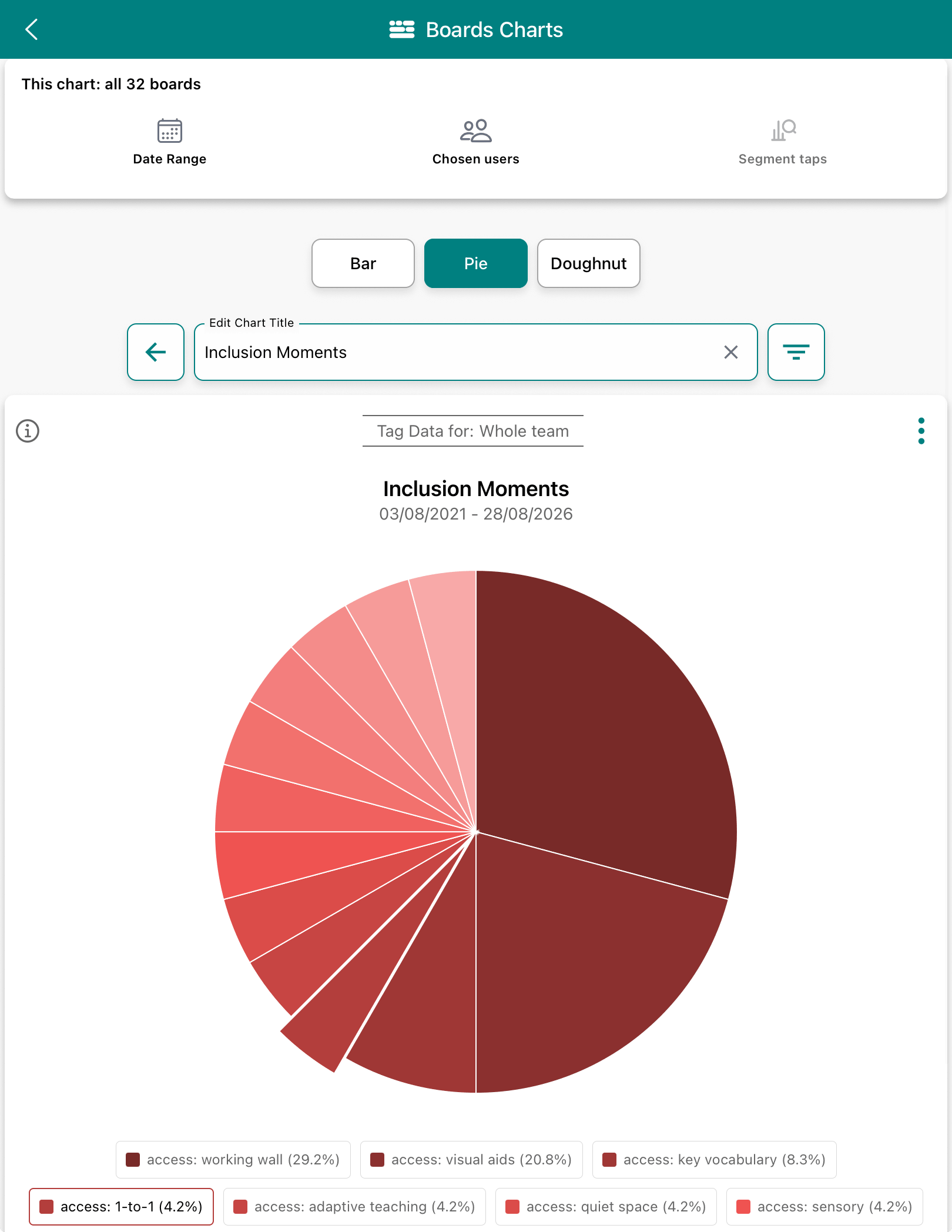
- See the segment pop out in the chart and tap it.
- See a more detailed view of Inclusion represented by all the tags teachers have applied to their moments from the curriculum
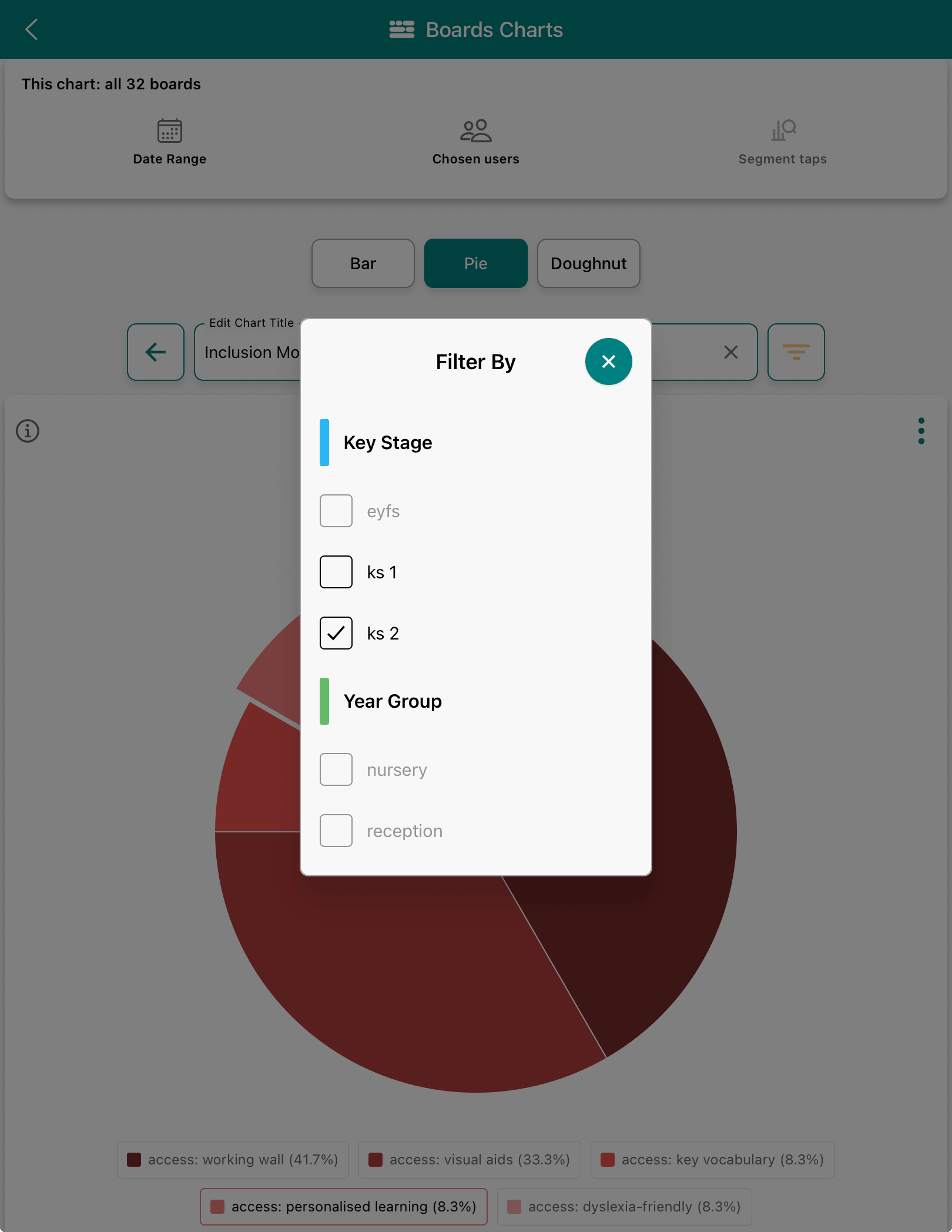
Filter via the filter icon next to the chart title- Tapping the 'access: personalised learning' segment reveals the moments captured and tagged that are also filtererd by KS 2
- Tap 'PDF or DOCX Report' to report on these moments as a take-away.
- Select to include the Curriculum Snapshot that will be included on page 2.