

Blippit Boards can help your school collect and organise evidence for the Eco-Schools Green Flag Award while continuing to capture everyday curriculum moments in exactly the same way you do now.
There is no need for a separate system or extra workload. Schools simply use Eco-Schools tags alongside their usual subject and curriculum tags inside the Blippit Boards app.
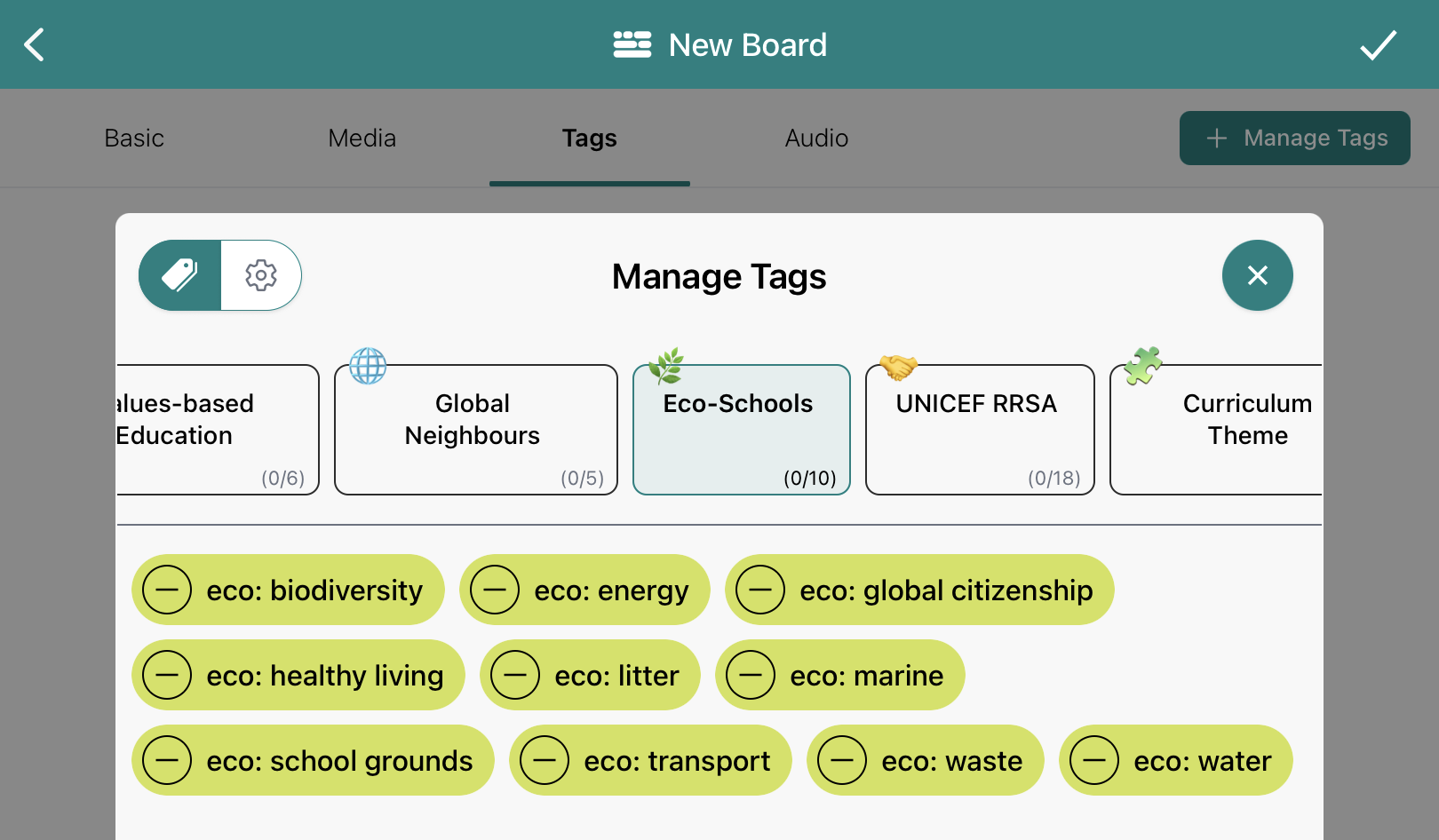
Blippit includes a dedicated Eco-Schools tagging category.
This enables schools to:
Teachers simply tag the moment once; it can count for both:
No duplicate photographing, saving, or uploading is required.
A simple approach that works well:
This allows schools to build Eco-Schools evidence in parallel without a separate process. In Blippit's charts you are given a dedicated at-a-glance chart for all Eco-Schools evidence. Go deeper and filter by year group/stage so it is clear where Green Flag relevant contributions are coming from as part of your monitoring.
Within the Blippit Boards app, Subject Leads or Eco-Coordinators can:
Because everything is in the same app (Blippit Boards v3+)
You’re simply filtering the same moments staff are already capturing.
From inside the app you can:
Reports can then be:
Videos are included via QR codes where appropriate, keeping reports compact while still allowing the evidence to be seen and heard.
For the latest information on Eco-Schools, visit their website.





