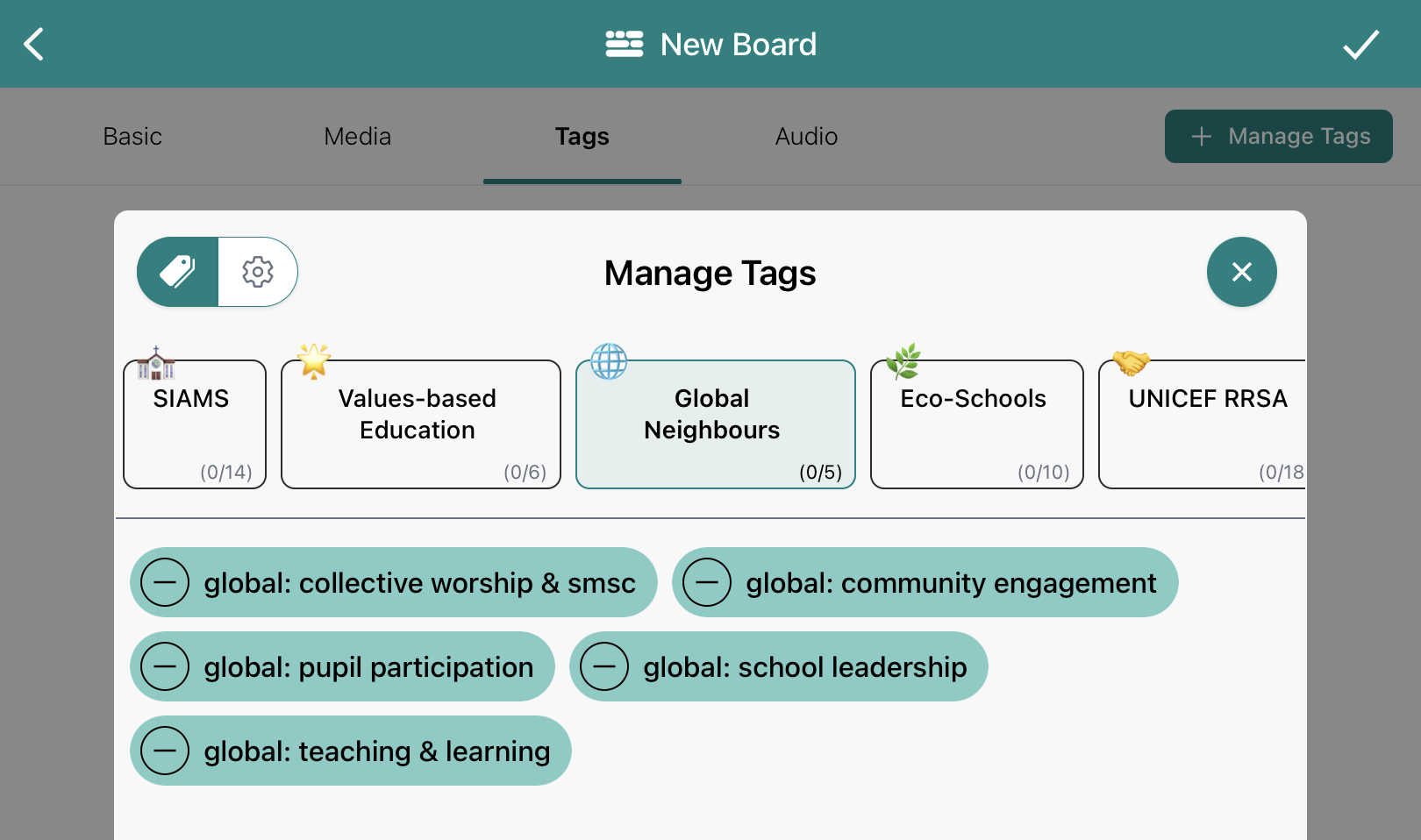
Global Neighbours Accreditation Evidence in Blippit Boards
January 1, 2026
Blippit Boards: Awards & Framework Help
Blippit Boards can help your school collect and organise evidence for the Global Neighbours Accreditation (Christian Aid) while continuing to capture normal curriculum moments as usual.
There is no extra system to manage. Schools simply use Global Neighbours tags alongside their existing subject and curriculum tags inside the Blippit Boards app.
Global Neighbours tagging in Blippit Boards
Blippit includes a dedicated Global Neighbours tagging category.
This enables schools to:
link evidence to the Global Neighbours framework
collect evidence from multiple staff members in real time
build a shared picture of work across the school
generate reports directly inside the app
Teachers tag moments once, and they can count as both:
curriculum evidence
Global Neighbours accreditation evidence
No duplicate uploading or parallel tracking is needed at school level.
A simple way to run Global Neighbours alongside daily practice
A typical approach schools use:
Decide which Global Neighbours strands you are focusing on
Ask staff to continue capturing curriculum moments as normal
When a moment relates to Global Neighbours, add:
your usual tags (subject, year group, etc.)
the relevant Global Neighbours tag(s)
Add a short description explaining the context
This allows evidence to build naturally from real classroom practice.
Finding Global Neighbours evidence in the app
Global Neighbours leads or SLT can:
filter boards using Global Neighbours tags
see all related evidence in one place
check which strands already have evidence
spot areas where more examples may be needed
Because everything is in one app:
no chasing folders
no emailing photos
no separate dashboards or systems
Just filter and review.
Creating a Global Neighbours evidence report
From inside the app, you can:
filter by Global Neighbours tags
select the boards you want to include
generate a PDF or Word report instantly
Reports can be used for:
accreditation submissions
governor or SLT updates
staff development discussions
Videos in boards appear in reports via QR codes, keeping reports compact while allowing the evidence to be watched when needed.
Helpful practice schools often adopt
Schools using Blippit effectively for Global Neighbours typically:
share examples of what counts as strong evidence
use pupil voice via audio, video, or board descriptions
keep tagging expectations simple and consistent
celebrate boards that model good practice
The goal is not creating extra tasks - it’s making visible what already exists.