Governor and guest accounts on Blippit Boards (2026 app ver.3)

January 1, 2026

Blippit Boards can support governors and other guests in understanding the lived curriculum across the school. With appropriate permissions, governors can be given read-only access so they can view moments captured by staff without changing or editing boards.

This helps governors engage with real evidence while keeping full control of content with school leaders and teachers.

Using Blippit Boards to support governance

Blippit Boards can be used to:

  • record governor visits and learning walks
  • capture discussions with Subject Leaders
  • reflect joint monitoring activity
  • share examples of curriculum impact
  • give governors insight into school priorities

Teachers or leaders simply create a board and tag it appropriately, there is no separate system to manage.

Tagging governor-related activity

Blippit includes a tag category designed specifically for governance activity:

Leadership and Governance

This sits within the Ofsted 7 categories and can be applied when moments relate to:

  • governor visits
  • meetings with Subject Leaders
  • strategic curriculum monitoring
  • leadership conversations
  • governance contributions to school improvement

Tagging these moments means they will:

  • appear correctly in charts
  • be easy to filter and find
  • feed into reports when needed

Governor accounts (read-only access)

Schools may choose to give governors read-only guest access.

This means governors can:

  • view boards
  • read descriptions
  • watch videos via QR codes
  • listen to audio
  • see tagging and themes

They cannot:

  • edit boards
  • delete boards
  • change tags
  • upload media

This protects professional records while allowing transparency and understanding.

Recording governor visits in practice

A simple approach many schools use:

  1. during or after a governor visit, create a board
  2. add photos, audio or short notes (where appropriate)
  3. tag with Leadership and Governance
  4. add any relevant subject / year / priority tags
  5. save the board

This makes governor activity part of your whole-school evidence picture, not a separate process.

How this helps leadership and governance conversations

Using governor and guest accounts supports:

  • clear evidence of governance engagement
  • transparency without extra paperwork
  • joined-up curriculum impact discussions
  • easier reporting when needed

It also demonstrates that governors are connected to the real lived experience of the school, not just paperwork.
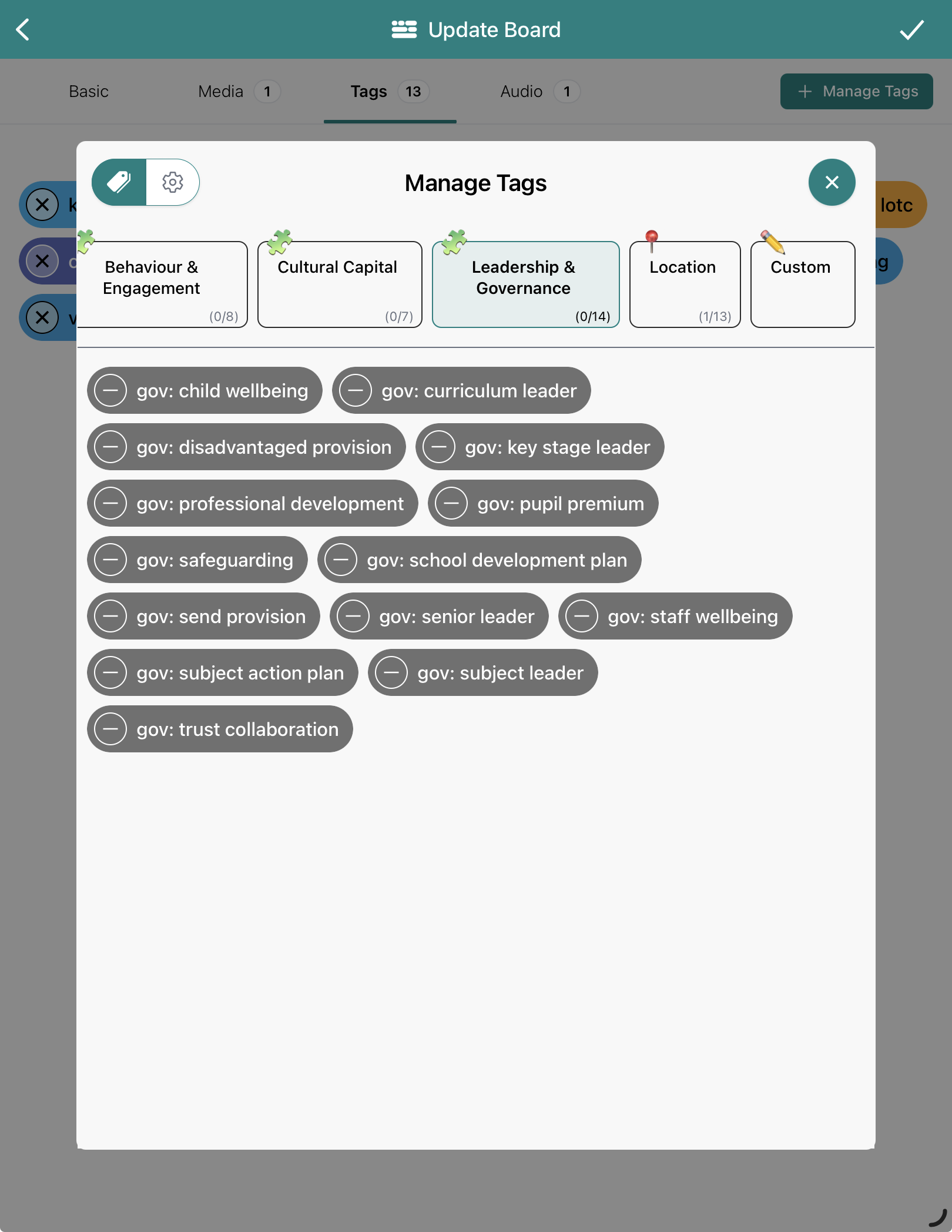
A view of Leadership and Governance tags in Blippit Boards version 3+


Downloads
