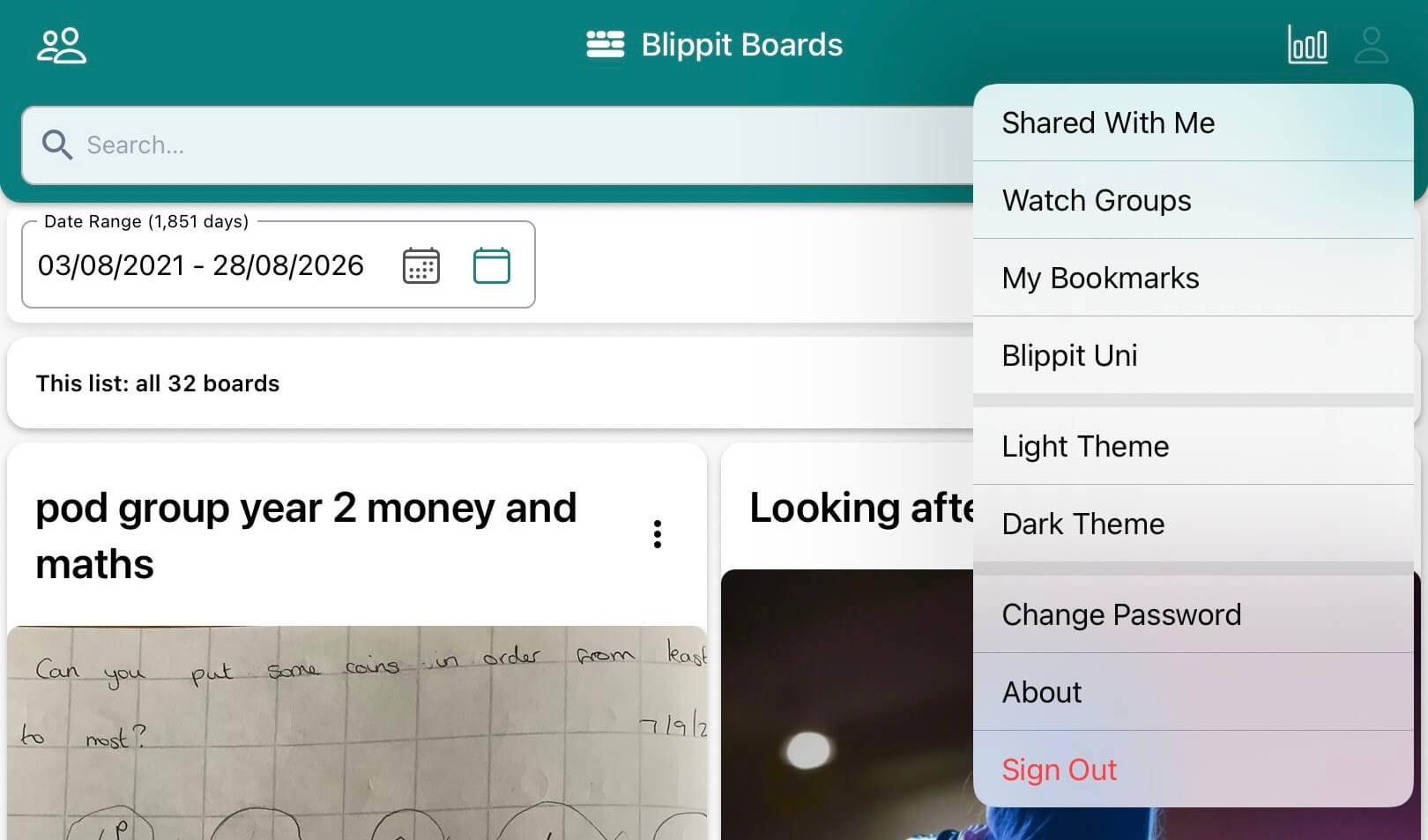
In the app, tap the profile icon (top right) to see additional items. When selected, a tick will appear to show your choice. Remember to tap to untick especially if you choose to see your Book Marks or Boards.
Tap 'Shared With Me' to see only the boards that you have been invited to collaborate on.
Tap 'Watch Groups' to select tag groups you want to receive alerts for when new boards are created.
Tap 'My Bookmarks' to see only the boards that you have bookmarked.
Tap 'Blippit Uni' to see help articles on all aspects of Blippit Boards.
Tap 'Light Theme' for the brighter interface shown below.
Tap 'Dark Theme' for a darker more subdued view suitable for eye sensitivity.
Tap 'Change Password' to update your account password.
Tap 'About' to see what version of Blippit Boards you are using.